
Not Just an Assistant,
A Complete Control Center.
We combined Terminal, Web Browser, Smart Editor, and Voice AI into a single desktop cockpit — macOS & Windows versions live!
Why is Over 90% of ersinis Completely Free?
All core developer capabilities of ersinis are 100% free for life. The terminal, intelligent code editor, offline local voice recognition (Whisper), dual-panel web browser, 5-layer vector memory (RAG), autonomous error defender, and infinite architecture canvas are all completely free to download and use with total peace of mind.
🌐 A License is Required ONLY for the WebRTC Agent Network (P2P Remote Connection)
The only capability behind a paywall in ersinis is the WebRTC infrastructure that enables autonomous cross-device agent communication and remote system control.
🔒 Security & Ethical Responsibility Shield
Cross-device autonomous system control and remote code execution are extraordinarily potent capabilities. If left completely unrestricted in inexperienced, unsupervised, or malicious hands, they could become dangerous attack vectors. Gating WebRTC behind a verified PRO license is not about monetizing users, but about safeguarding the developer, devices, and the broader digital community. Professional architects can unlock this power permanently with a single, fair verification fee.
💻 Open-Source Core: Build Your Own ersinis & Artemis
ersinis is built upon transparency and open developer collaboration. The core architecture is shared on our GitHub repository. Experienced developers can explore the codebase, understand the architecture, and craft their own custom ersinis and Artemis. To prevent misuse and safeguard digital infrastructure, the source code for the remote WebRTC agent network is not shared publicly; this capability is reserved for architects who build their own signaling or utilize the verified official build.
14 Unique Features
All the autonomous capabilities a modern System Architect needs, packed into a single desktop cockpit.
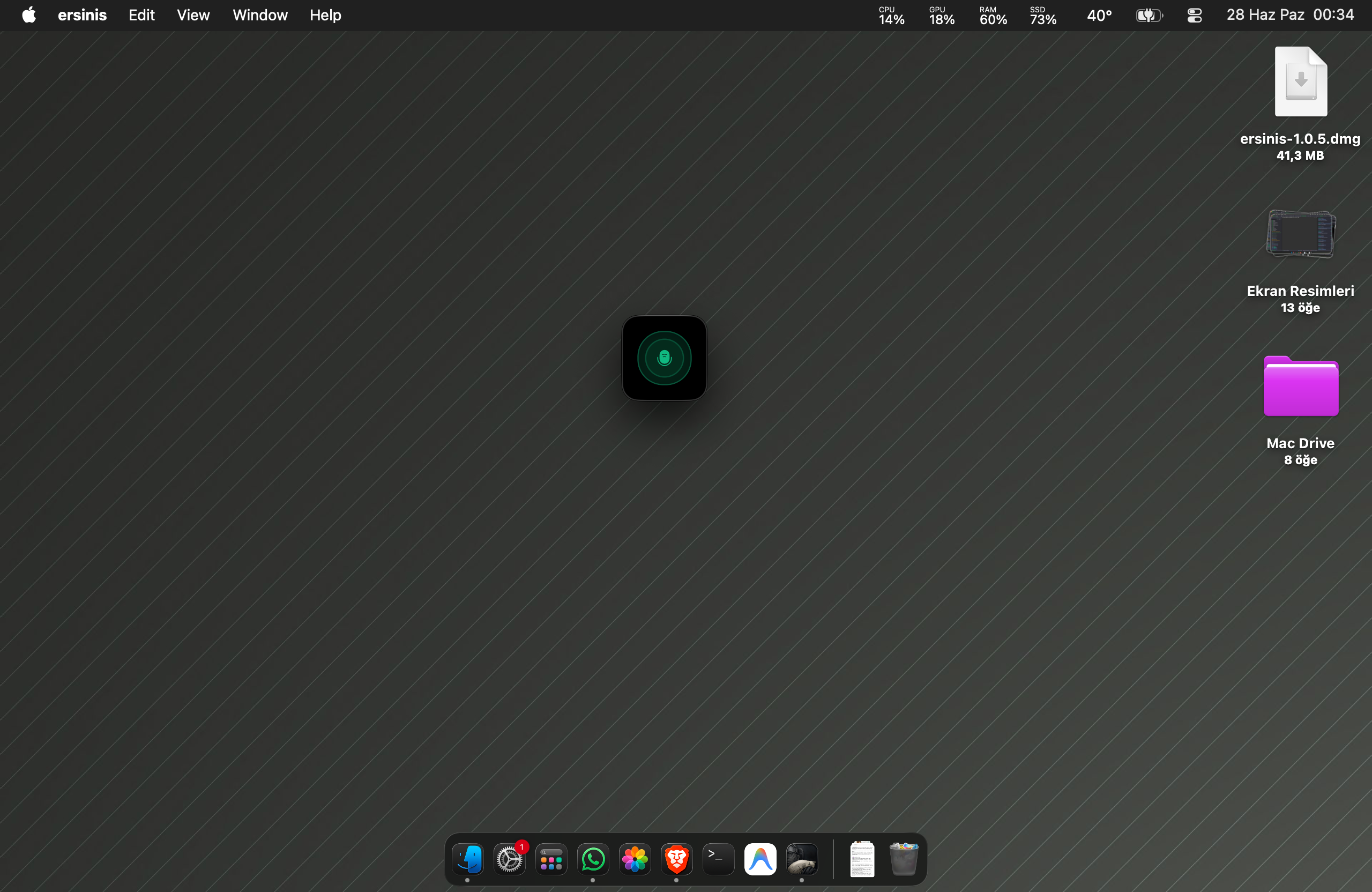
1. Hands-Free "Mini Microphone" Mode
Doesn't take up your screen, doesn't interrupt your workflow. While you code in your favorite IDE, research in your browser, or engage in other tasks, Artemis listens in the background via a mini window and provides instant support.
- Productivity for Developers: No need to take your hands off the keyboard to run terminal commands, ask about code architecture, or delegate complex tasks; manage everything using only your voice.
- 100% Privacy: Thanks to the fully offline local Whisper infrastructure, your voice commands are never sent to any cloud server. Your project data remains safe on your computer.
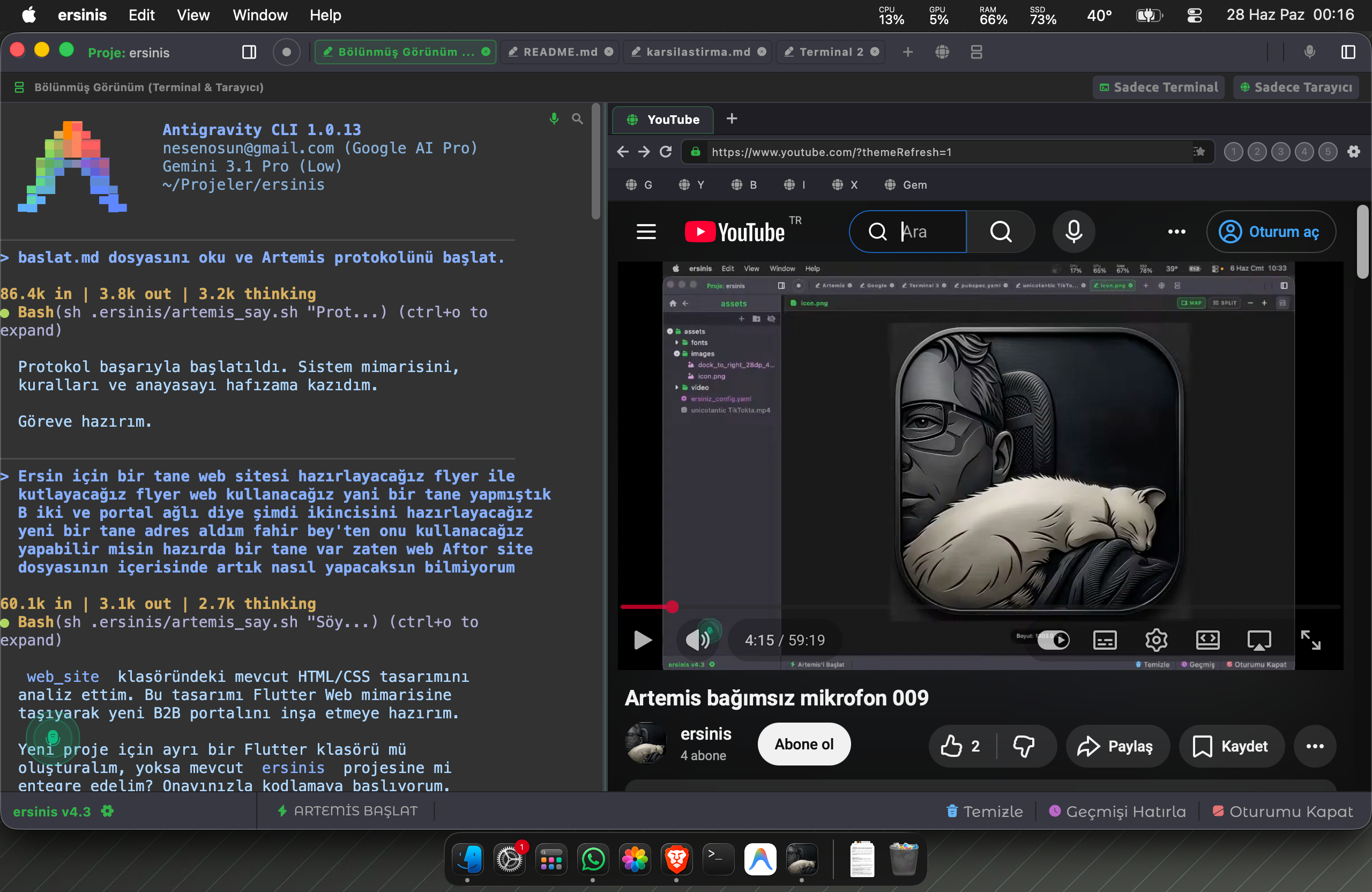
2. Dual-Panel Integrated Web Browser
Research and develop without losing your focus. Free yourself from the cognitive load of constantly switching between windows (alt-tab).
- Uninterrupted Workflow: While writing code in the left panel, you can review API documentation or read any source in the integrated browser on the right panel. No more switching tabs.
- Integrated AI Support: Artemis can simultaneously perceive both your code and the page in the browser. You can instantly ask it to write code or solve an error based on the documentation you are viewing.
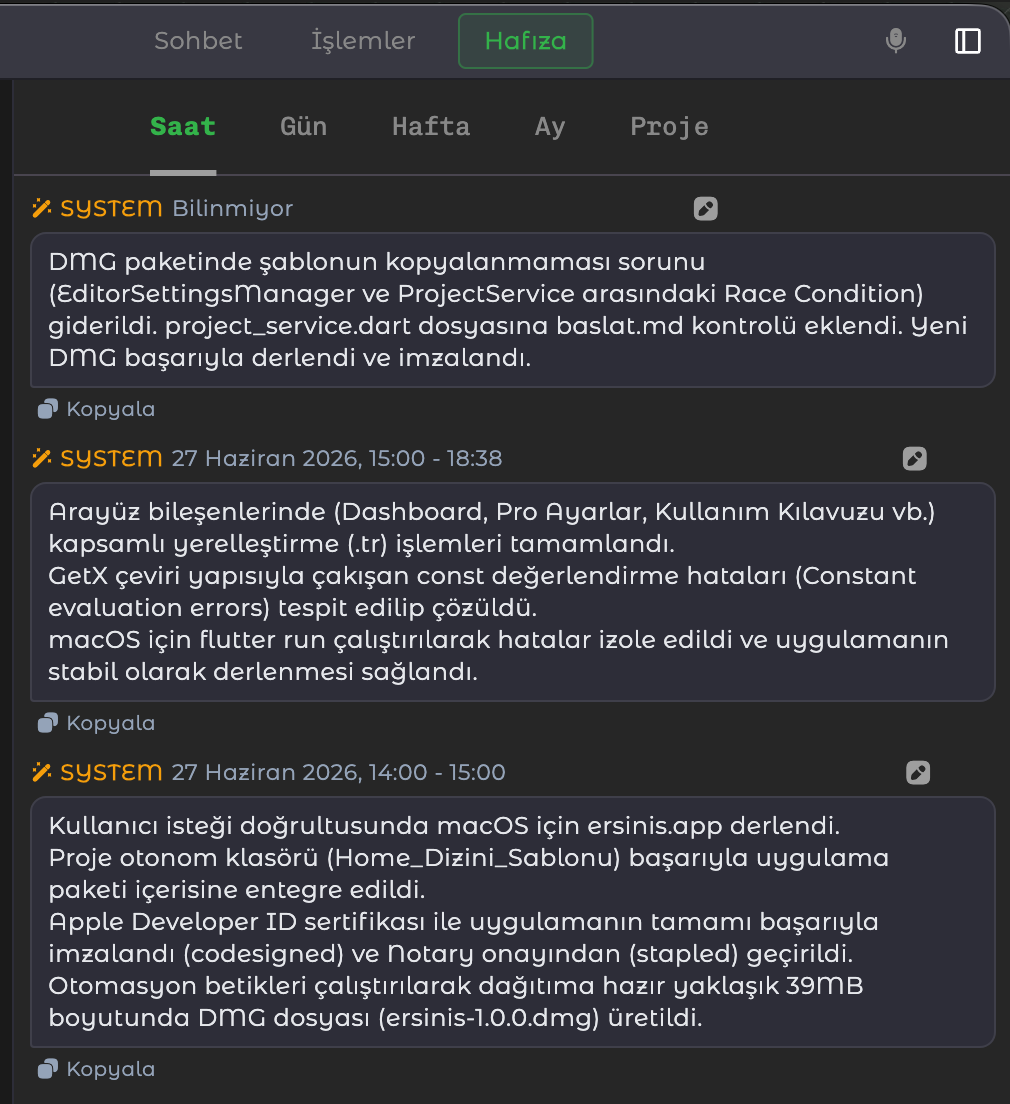
3. Autonomous Hierarchical Memory System
ersinis uses much more than an ordinary Vector/RAG system. Instead of simply saving your project to a database, it transforms your actions into permanent memories by distilling them over time, just like a human brain.
- Time-Loop Distillation: All your conversations and code accumulated in the background are periodically filtered by the "Summarizer Agent": Hourly → Daily → Weekly → Monthly → Project Memory.
- Visual Memory Management: You can see how the AI understands you and what it remembers from the past on an hourly/daily basis from a single screen.
- Manual Semantic Search (Vector DB Query): You can search for an architectural decision from weeks ago "semantically" and surface it instantly.
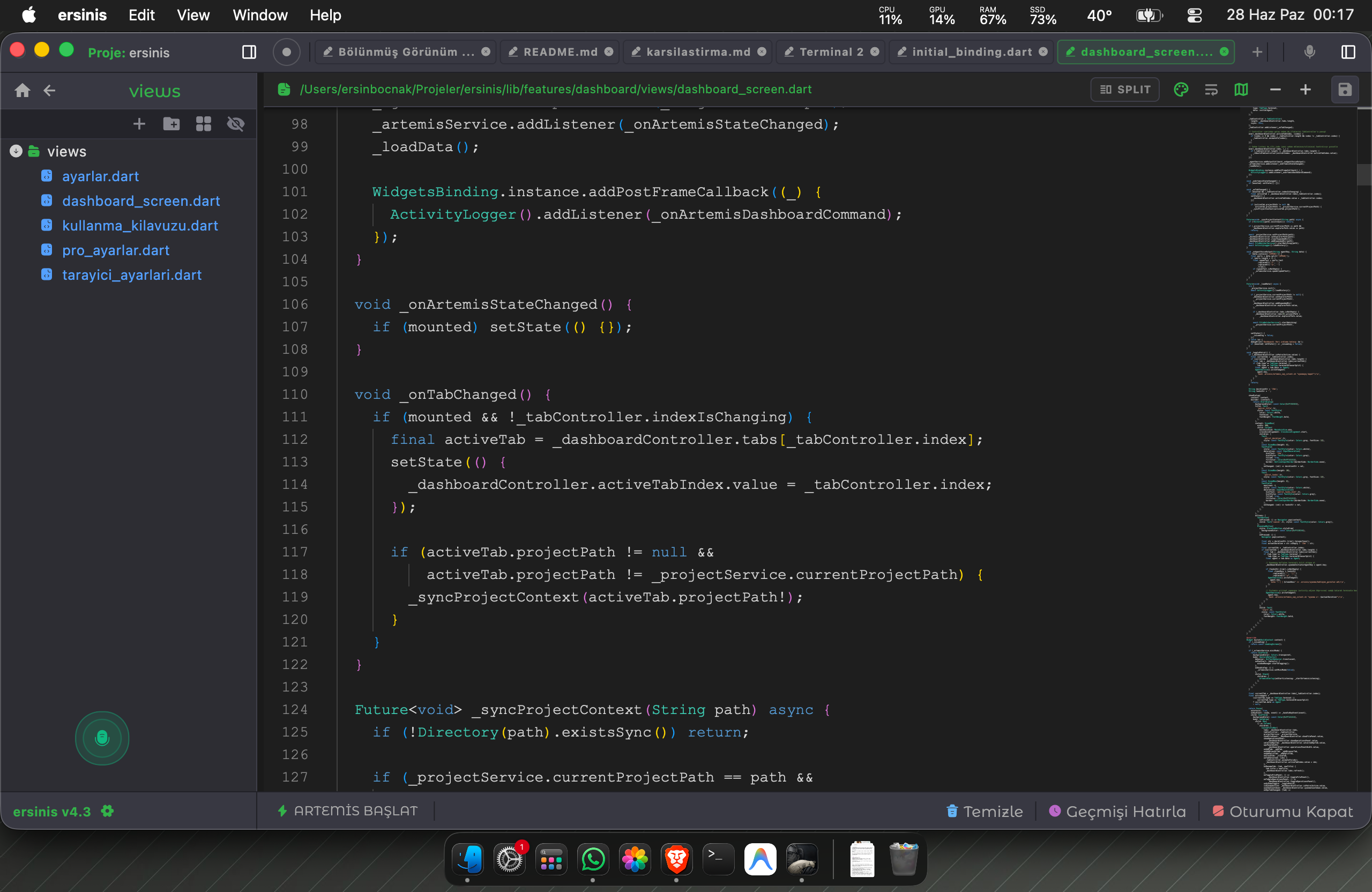
4. Holistic Project Awareness & Smart Editor
- Holistic Project Context: While classic assistant plugins are trapped in the "active tab", Artemis is connected to the root of your workspace. When you give a command, it fully grasps not only the code on the screen but also your folder tree, linked files, and project memory.
- Smart Editor (Monaco Pool Architecture): Thanks to the "Warm-Up Editor" pool always ready in the background, webview loading time between file transitions is reduced to zero. Your operating system's native copy/paste (clipboard) features work flawlessly.
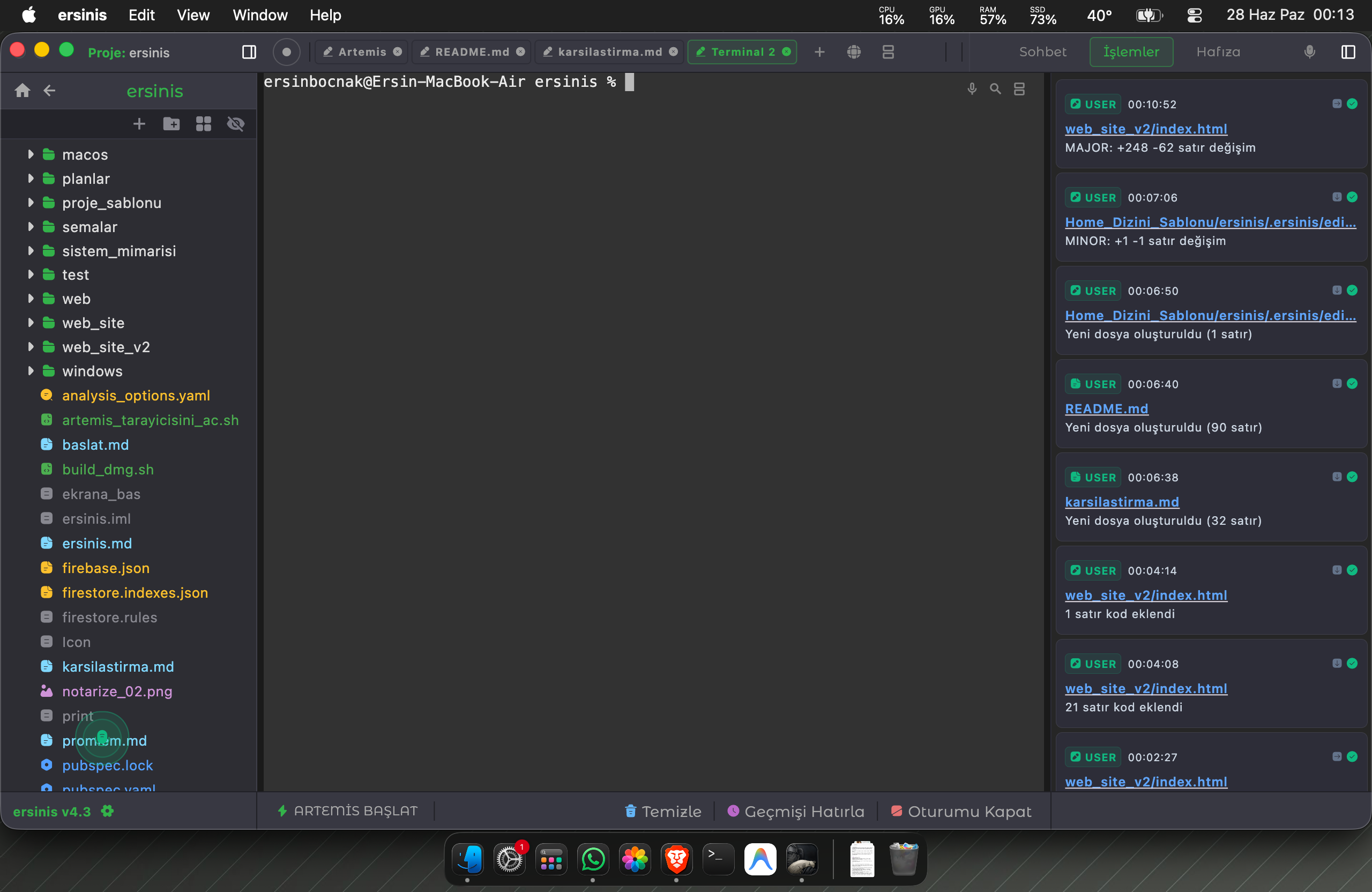
5. Autonomous Error Debugging (Error Defender)
There is an autonomous sentry script named Error Defender silently patrolling in the background.
- How It Works: It instantly catches errors (exceptions, fatals, timeouts, etc.) occurring in logs or the terminal using regex. It matches the error with the solution database and reports it along with a suggested fix.
- Customizing the System: If you have errors specific to your own project, you can train the AI's autonomous problem-solving ability by adding your own "Error Pattern" and "Suggestion" pairs.
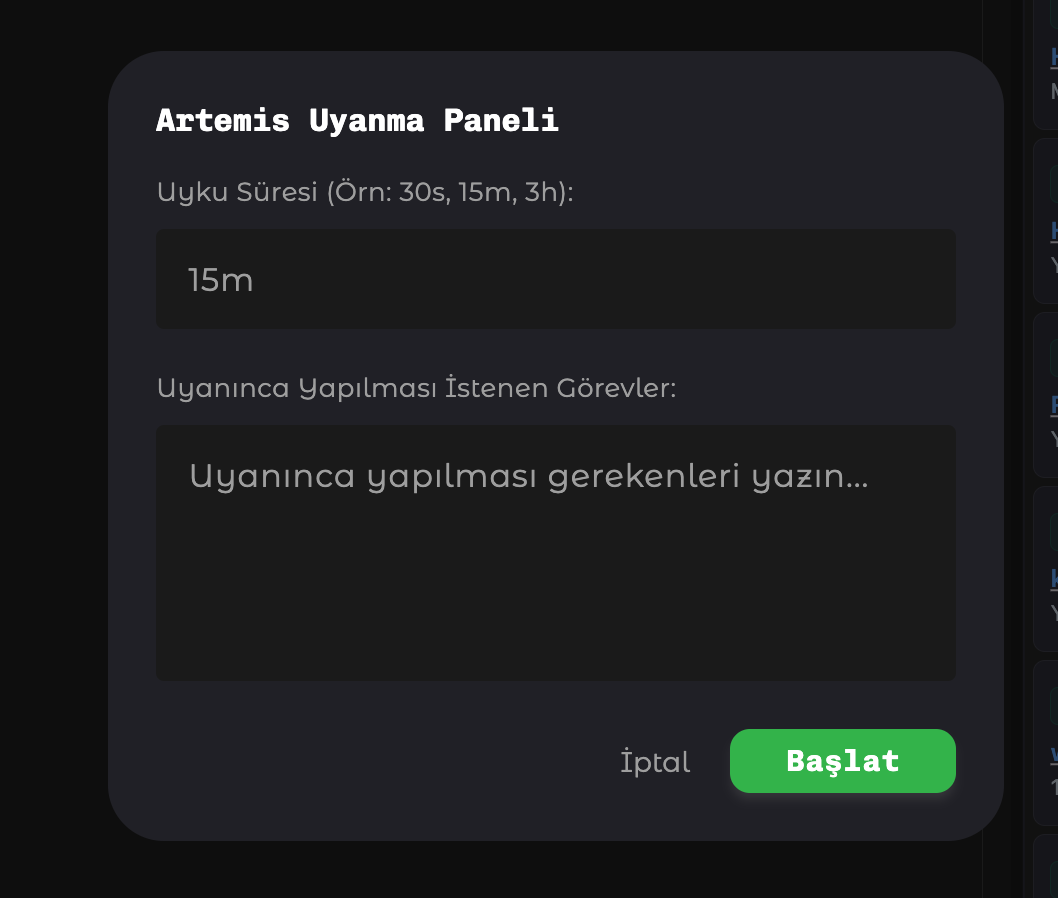
6. Periodic Wake-up & Task Automation
The core feature that turns Artemis into a fully autonomous assistant is the "Periodic Wake-up" system. It continues to work even when you are not at your computer.
- Task Automation: When awakened, Artemis first reads the pending_tasks.md file. It picks up the next task on the list, completes it, and goes back to sleep. When the timer resets, it moves to the next task.
- Timer Management: It uses its own internal timer bridge. You can trigger the timer directly from the interface, pause it, or have it shut down automatically when tasks are finished.
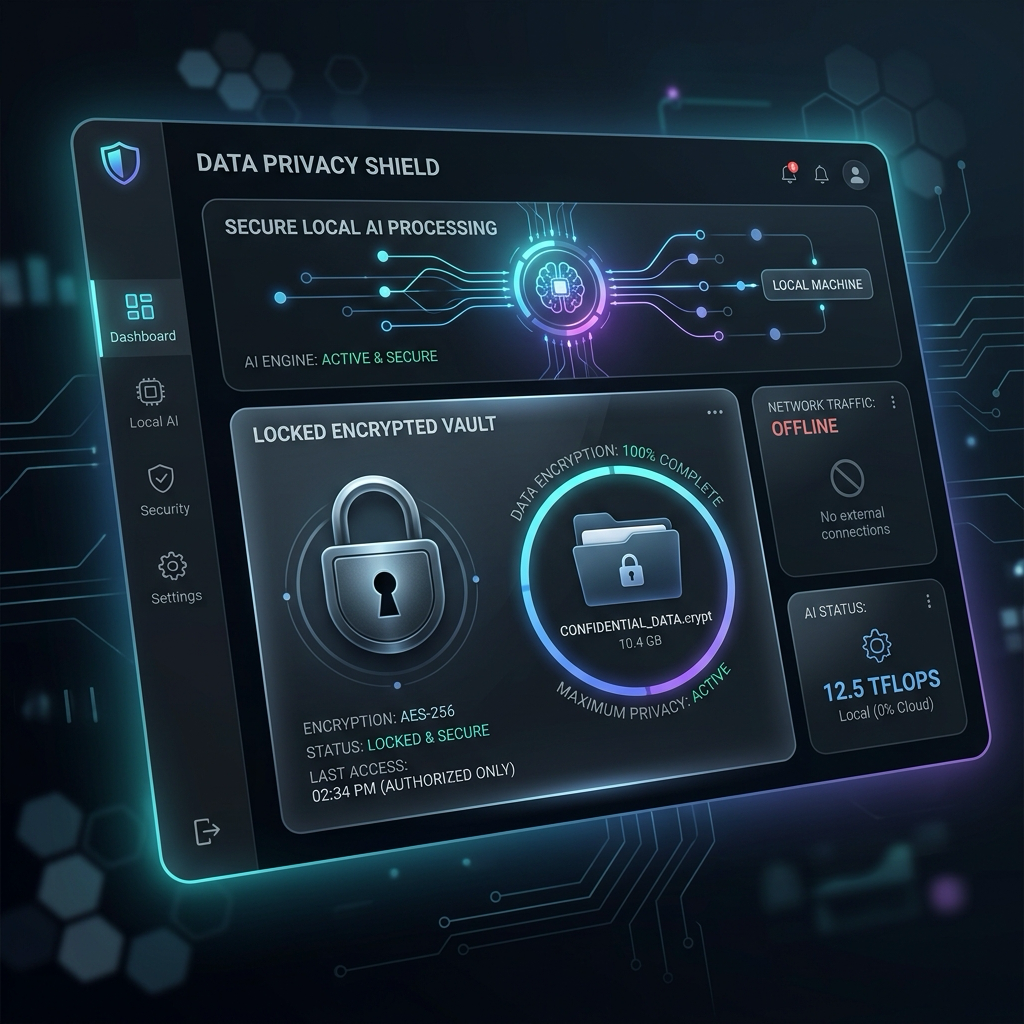
7. 100% Data Privacy (Offline-First)
The application is designed to protect your corporate projects and personal data at the highest level.
- Local Memory: All vector databases and summaries created by Artemis are stored only on your own computer. No memory or code leaks to the cloud.
- Offline Speech Recognition: Your microphone data is processed entirely locally (offline) on your device. You can use the mlx-whisper model on macOS and the built-in Speech-to-Text engine on Windows.
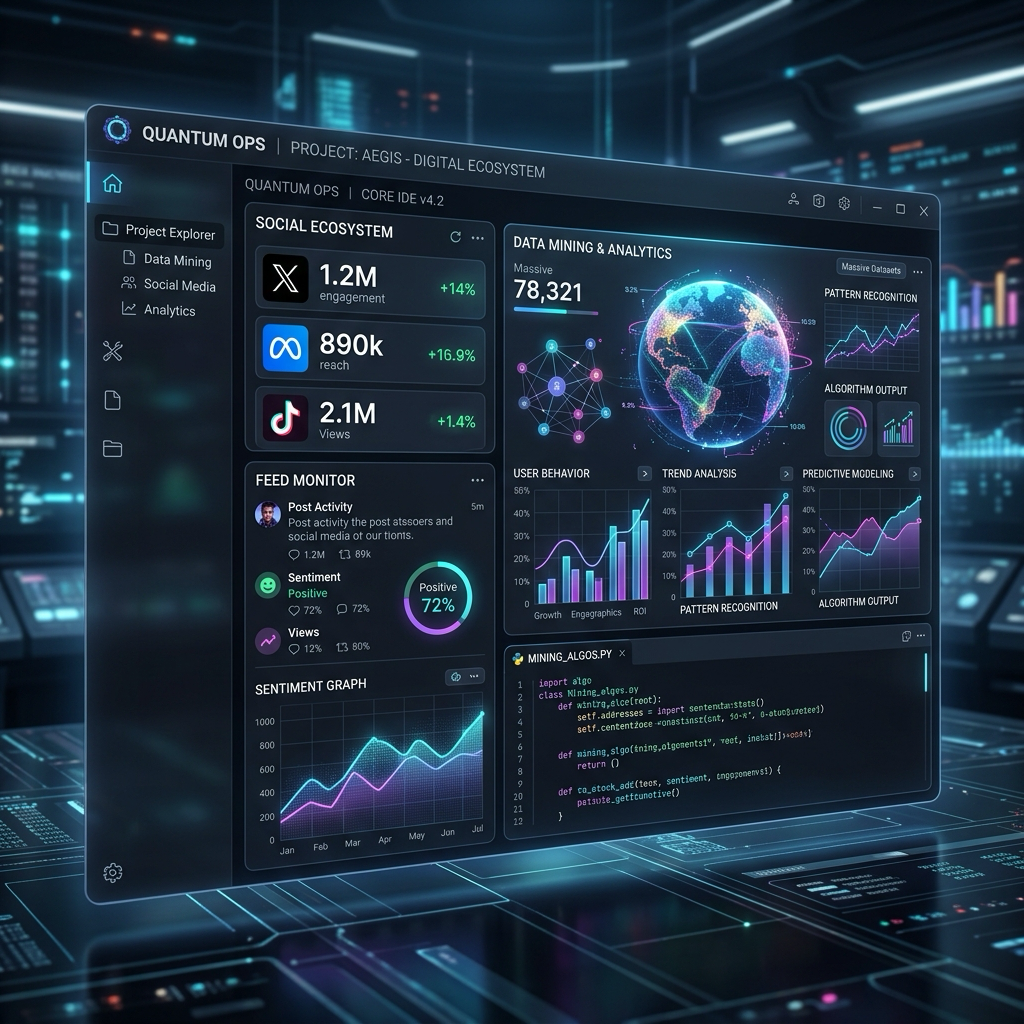
8. Multi-Agent Architecture (Multi-Agent)
Artemis is not just a single AI; it is a "Master Orchestrator". When it receives a large task or wakes up autonomously, it distributes the work instead of doing it alone.
- Task and Role Distribution: Agents have specific roles (e.g., Architect, Librarian, Implementer). Each agent works independently, and Artemis blends their outputs.
- 100% Unlimited and Customizable: Sub-agents are not hard-coded into the system. If you tell your AI to "Use DeepSeek for sub-agents," the DeepSeek CLI is executed. If you say "Use Gemini," Gemini is executed. There are no limits.
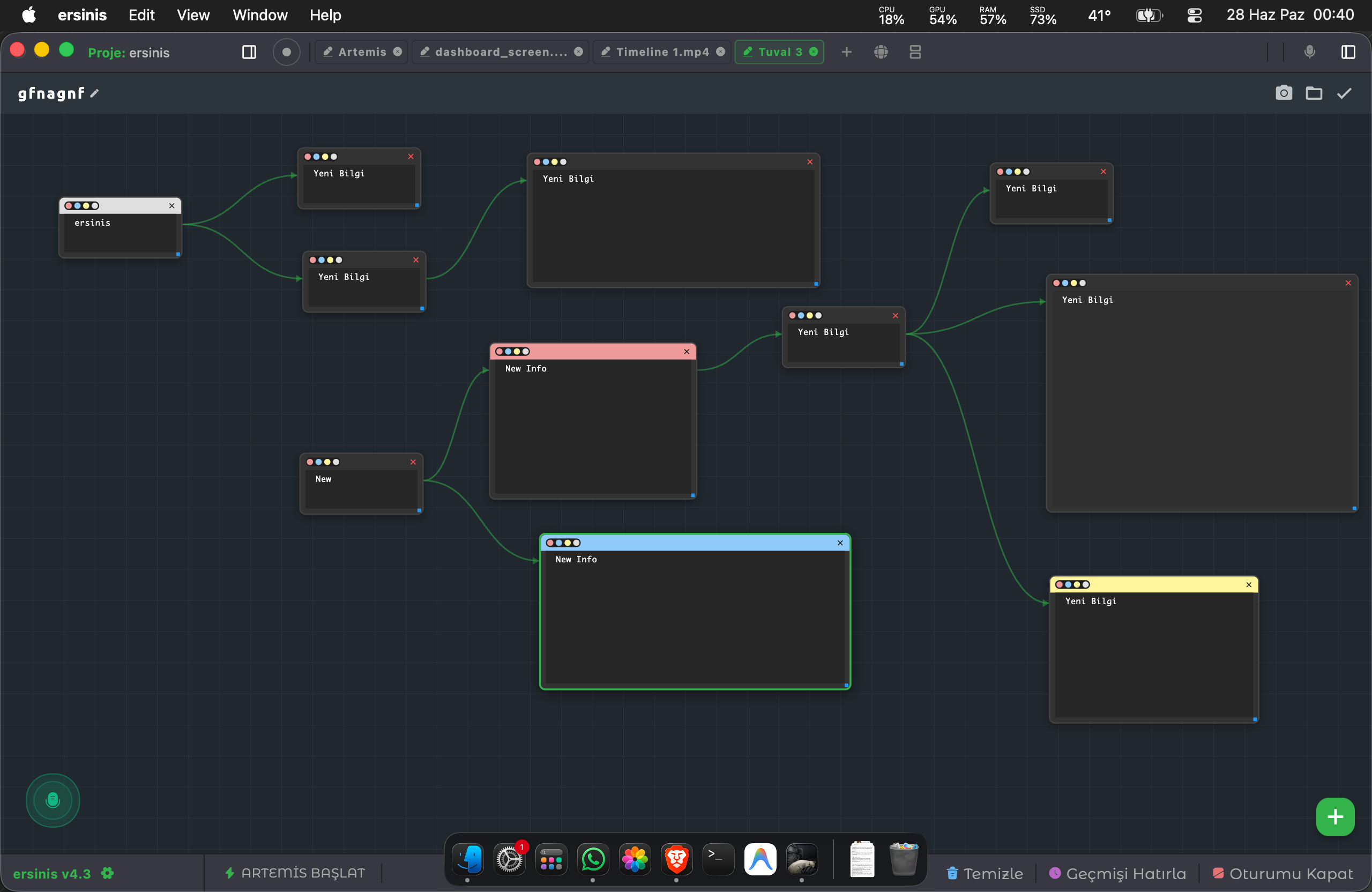
9. Artemis Canvas (Infinite Canvas & Flowcharts)
A built-in "Infinite Canvas" module where you can create algorithmic diagrams, architectural designs, and project flowcharts.
- Nodes and Connections: You can add and drag new information boxes on the screen, draw smart arrows (Edges) between them, and color them as you wish.
- Autonomous Diagramming with AI: Have Artemis read your SCHEMA_CREATION_GUIDE.md file and say "Draw me the architectural diagram of my system." Artemis generates the diagram codes directly for you.
- One-Click Screenshot: A high-resolution PNG screenshot of your drawing is automatically taken and backed up. Perfect for use in presentations!
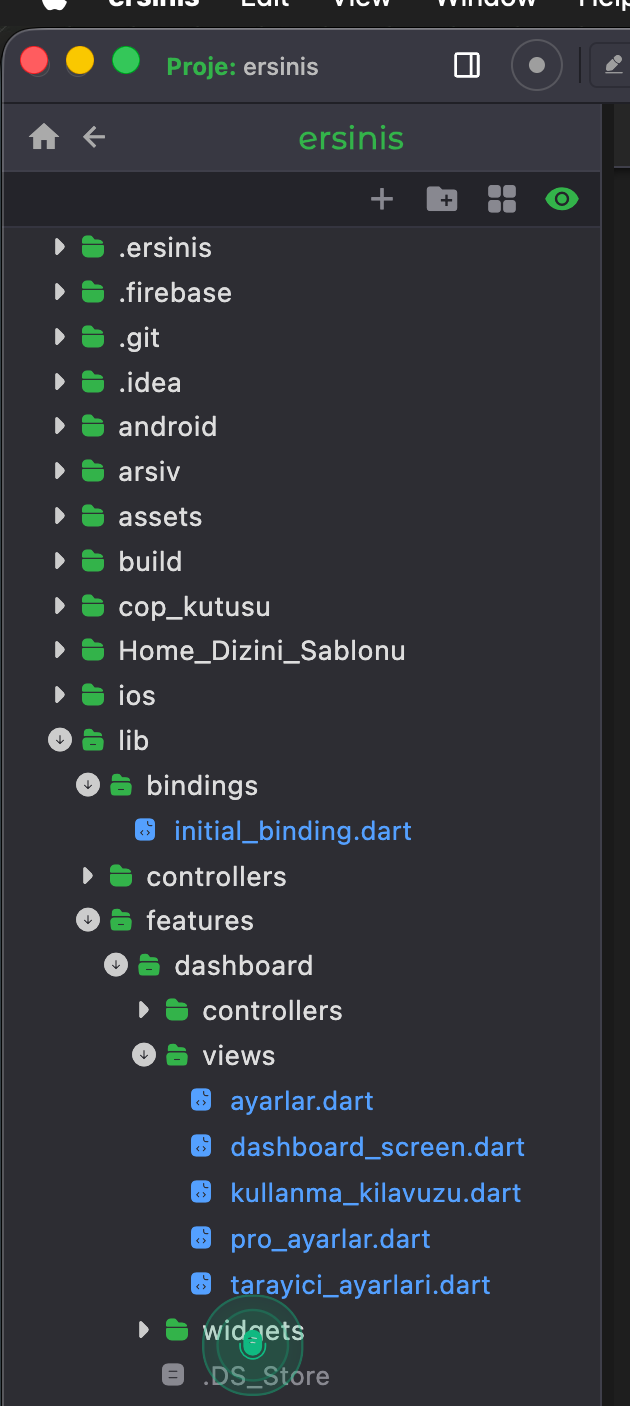
10. Advanced File Explorer
Manage your project directly from within Artemis's cockpit without needing your operating system's file manager (Finder/Explorer).
- Real-Time Git Integration: The git status mechanism constantly works in the background, instantly detecting all changed, added, or deleted files and reflecting them in the UI with color coding.
- Drag & Drop and Icon Coloring: You can grab and drag files/folders, and instantly find the file you are looking for with industry-standard icons following JetBrains/VSCode standards.
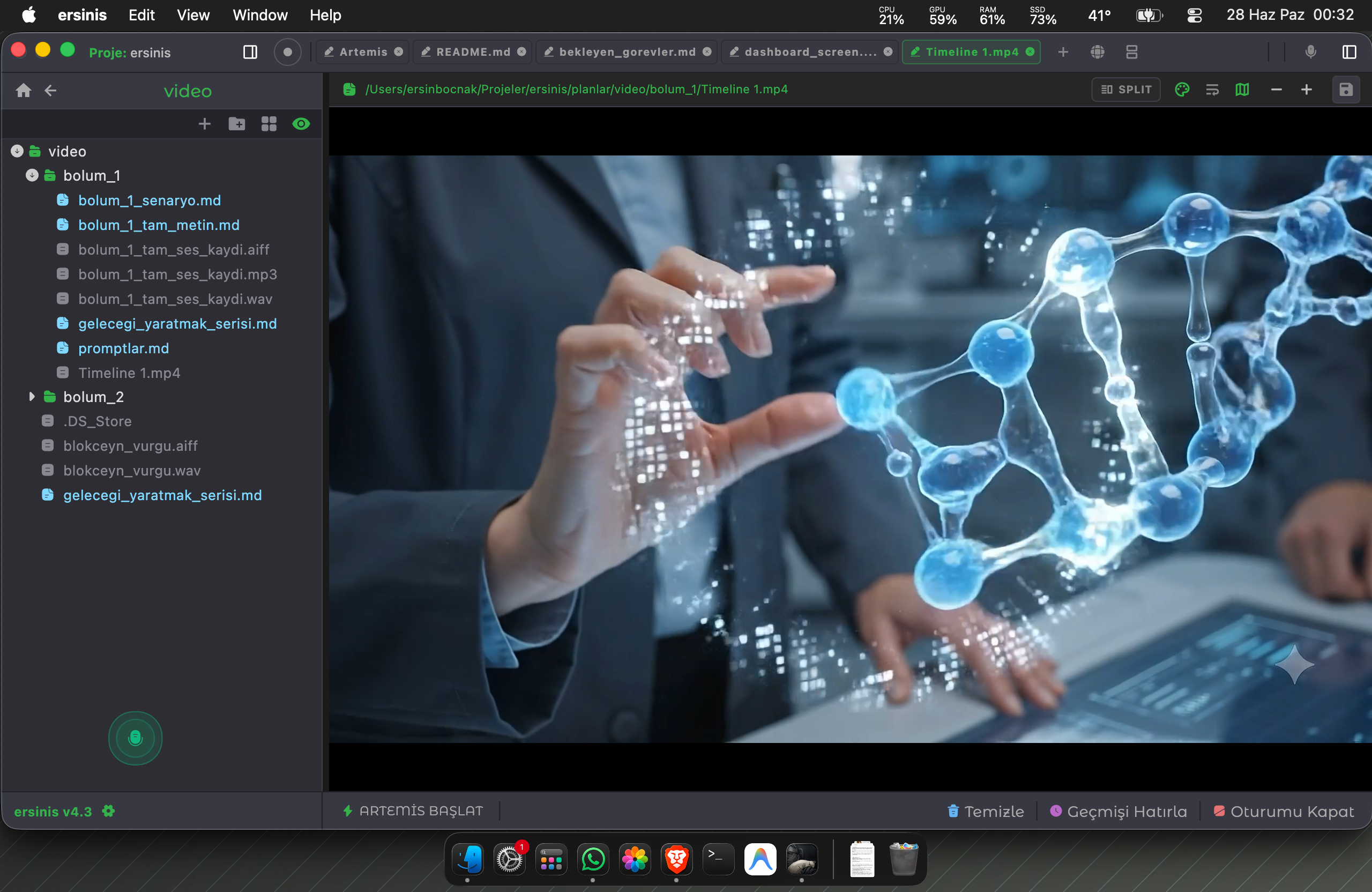
11. Smart Media Editor & Station
ersinis doesn't just let you write code; it also allows you to make quick, minor adjustments to your images and videos directly within the app, eliminating the need to switch to other tools for simple edits.
- Mini Photoshop (Image Editor): Instantly crop, resize, apply filters (blur, grayscale, etc.), or draw freely on your images and include them in your new projects.
- Video Player & Editor: In addition to playing your videos with high performance, you can instantly trim them, merge different videos, or remove the existing audio and add a new sound (dub/music), performing basic editing tasks directly within the app.
- Background Audio Player: You can seamlessly listen to sound effects or music belonging to your project in the background while you code.
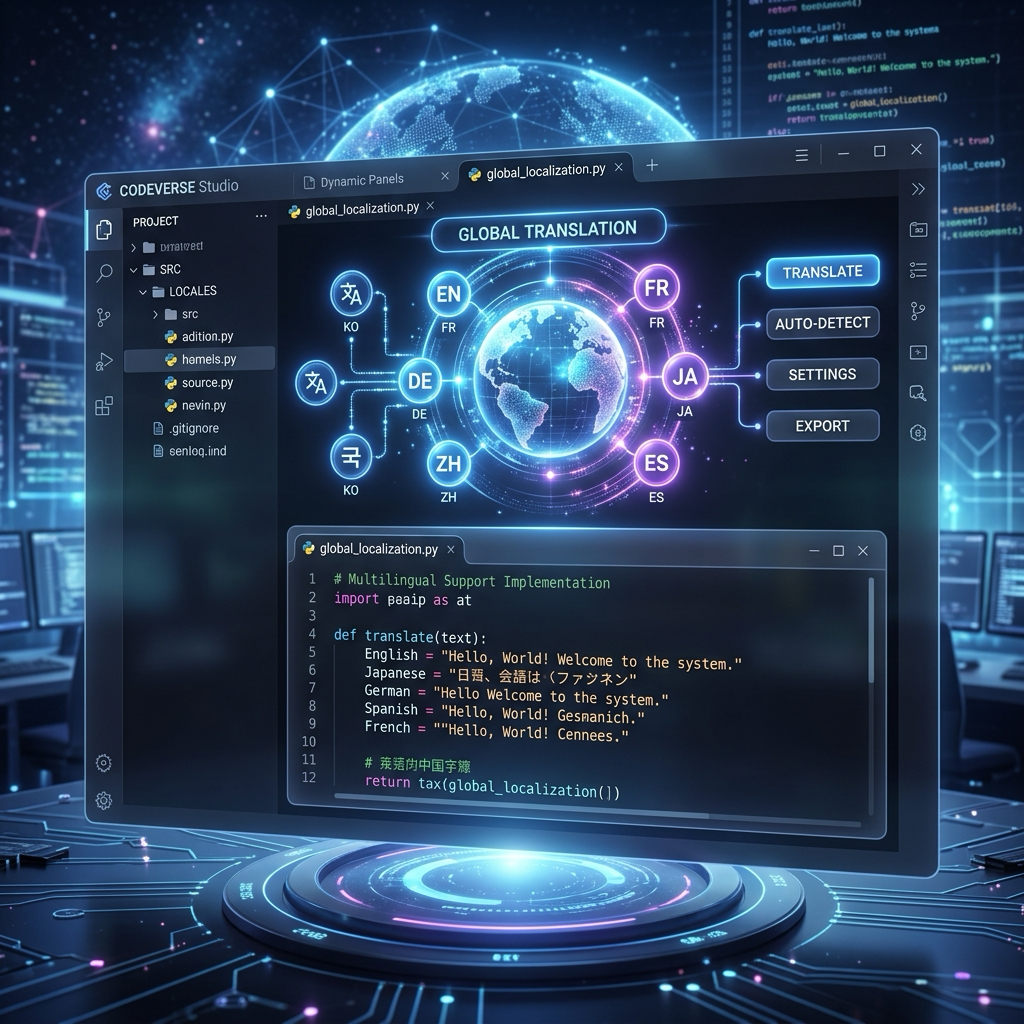
12. Multi-Language Support
ersinis is designed for global use, not just local. You can instantly change the application's language from the settings menu.
Currently, there are 8 fully integrated language options (Turkish, English, German, French, Russian, Chinese, Japanese, Hindi) available in the system. The number of supported languages will rapidly increase in future updates thanks to the GetX translation infrastructure.
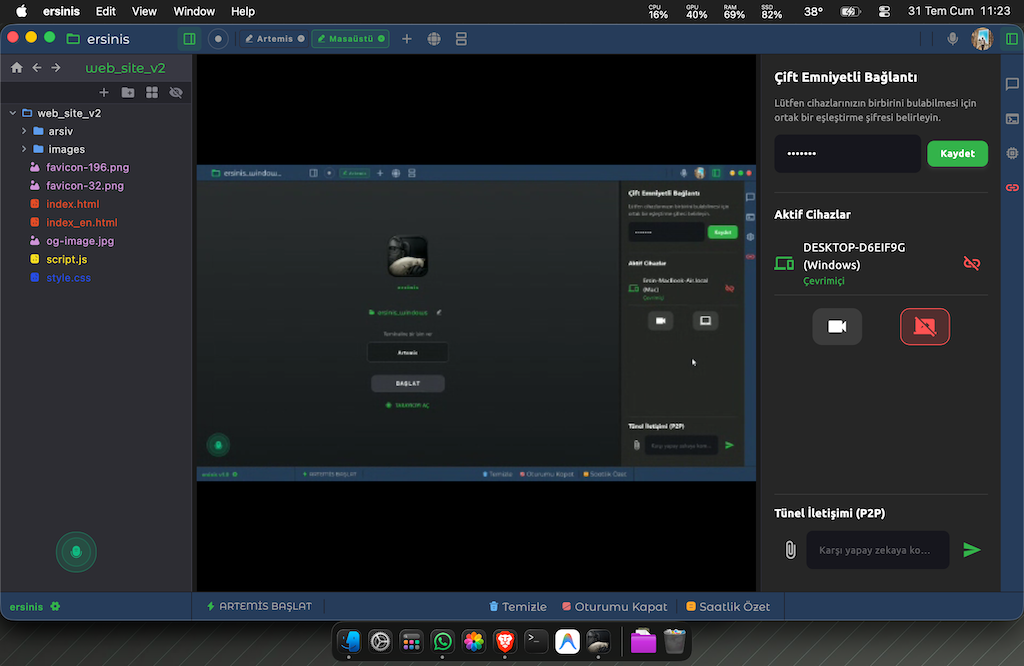
13. WebRTC Agent Network (A2A) & Remote Management
You can establish a direct, serverless (P2P), and highly secure communication bridge between your own devices (e.g., your Windows desktop at home and your Mac at the office).
- Unapproved, Instant Connection: If you log in with the same Google account and set the same pairing password, the devices will instantly find each other on the network. You gain direct access without anyone needing to "Accept" the connection.
- Send Commands to Remote AI: You can send commands to the remote device's AI (e.g., "Compile that project").
- Agent-to-Agent Communication: Thanks to the CONSTITUTION rules and communication protocols, Artemis instances on two different devices can chat with each other, execute synchronized joint tasks, and transfer files at high speed without a server.
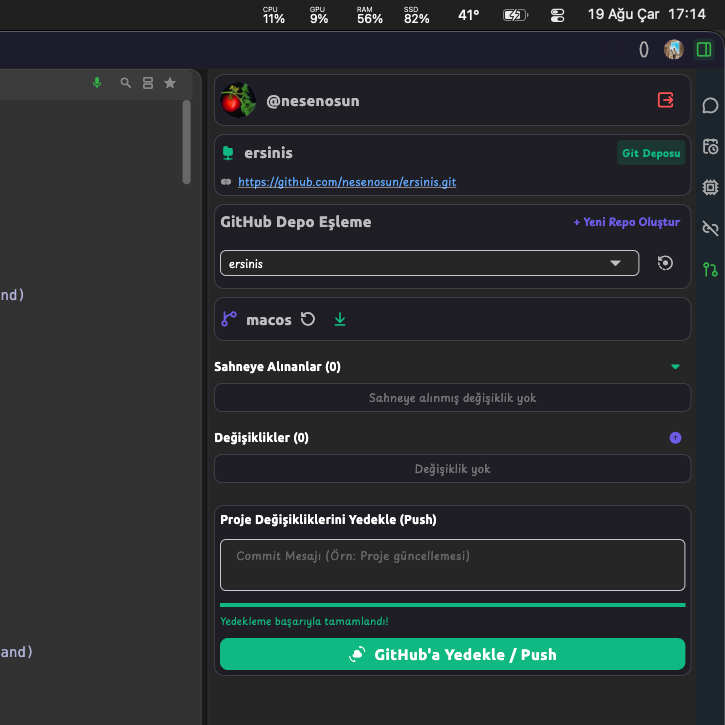
14. Built-in GitHub Panel
Keep your project in sync with GitHub without leaving the cockpit. The 🐙 GitHub tab in the right panel lets you securely connect to your account and manage all Git operations from a single screen.
- One-Click Login with OAuth 2.0: Connect securely to your GitHub account (Device Flow). The access token is stored encrypted.
- Commit, Push & Branch Management: View your changed files (staged/unstaged) with color coding, write a commit message, and push instantly. Switch between branches with the branch selector and track ahead/behind status.
- Smart Git Status Tracking: File changes are monitored periodically and reflected instantly in the UI.
Why ersinis? (Industry Comparison)
While classic editor plugins trap you inside a single code window, ersinis provides an autonomous OS-level development cockpit.
| Capability & Feature | ✨ Ersinis | Cursor | GitHub Copilot | Classic IDE (VS Code) |
|---|---|---|---|---|
| 🎤 Hands-Free Offline Voice (Whisper) | ✅ | ❌ | ❌ | ❌ |
| 🌐 Integrated Dual-Panel Web Browser | ✅ | ❌ | ❌ | ❌ |
| 🧠 Hierarchical Time-Loop Memory (RAG) | ✅ | ⚠️ Partial | ❌ | ❌ |
| ⏰ Autonomous Nightly Wakeup & Task Runner | ✅ | ❌ | ❌ | ❌ |
| 📡 Inter-Device P2P WebRTC Network | ✅ | ❌ | ❌ | ❌ |
| 🎨 Infinite Architecture Canvas & Diagram AI | ✅ | ❌ | ❌ | ❌ |
| 🎬 Built-in Media Player & Photo Editor | ✅ | ❌ | ❌ | ❌ |
| 💻 Source Code Transparency (Open-Core) | ✅ | ❌ | ❌ | ✅ |
| 🔒 100% Local / Privacy-First Architecture | ✅ | ❌ | ❌ | ✅ |
40% Less Token Consumption
While traditional editors dump massive file repos into the LLM on every prompt, ersinis uses a local SQLite vector database to retrieve only the relevant functions and architecture. Token waste drops by 40%, directly elevating model focus and response precision.
50% Faster & Higher Quality Output
Juggling multiple windows, copying terminal errors to a browser, and constantly re-explaining the context drains developer momentum. In ersinis, voice guidance, dual-panel browser, and automatic error resolution stay unified on one screen.
System Requirements
🍎 macOS
- Operating System: macOS 10.15 (Catalina) or newer
- Processor: Intel or Apple Silicon (M1/M2/M3)
- RAM: Minimum 4 GB (8 GB recommended)
- Storage: At least 500 MB free space
- Permissions: Microphone and Speech Recognition permissions are required.
🪟 Windows
- Operating System: Windows 10 or Windows 11
- Processor: 64-bit (x64) architecture supported processor
- RAM: Minimum 4 GB (8 GB recommended)
- Storage: At least 500 MB free space
- Permissions: Microphone access and WebView2 are required.
⚙️ Required Infrastructure Tools (Automatically Installed)
ersinis requires Python, Node.js, and FFmpeg for its autonomous system features. Both our macOS and Windows installation packages automatically install and configure these dependencies for you.
In rare scenarios (due to strict permission restrictions or custom system configurations) where automated installation encounters an issue, you can verify or manually install these tools via the official links below:
One-Time Payment, Lifetime PRO Access
Over 90% of ersinis and core developer tools are completely free. PRO license unlocks the WebRTC remote agent network with ethical and security verification for life.
How to Buy & Activate in 3 Easy Steps
Purchase License
Pay securely via Lemon Squeezy with a one-time fair fee.
Get Code via Email
Get your instant ERSINIS-PRO-XXXX activation code sent directly to your email.
Activate in App
Open ersinis app on macOS or Windows, go to 'Settings > Redeem Activation Code', and instantly unlock PRO features.
Frequently Asked Questions (FAQ)
Key answers about ersinis, our open-core philosophy, and licensing clarity.
1. Is ersinis really free, and what capabilities are included?
Yes! All core developer features in ersinis are 100% free for life. The terminal, intelligent code editor (Monaco pool), offline local voice AI (Whisper), dual-panel web browser, 5-layer hierarchical RAG memory, autonomous error defender, and infinite architecture canvas are all completely free to download and use with zero restrictions.
2. Why does the WebRTC Agent Network require a license?
The WebRTC infrastructure provides autonomous cross-device code execution, live desktop/camera streaming, and direct operating system control. To prevent this powerful capability from being misused or becoming an attack vector in malicious or untrained hands, it is protected behind a one-time, verified PRO license. Our purpose is not to gate features for profit, but to provide a digital safety shield for developers and devices.
3. Is ersinis open-source, and how can I explore the codebase?
ersinis is built upon an Open-Core philosophy. The core architecture source code is open for review on our official GitHub repository. Experienced developers can explore the codebase, understand the architecture, and craft their own custom cockpits. Sensitive WebRTC remote control code is intentionally excluded from the public repo for community security.
4. Do I need to manually install Python, Node.js, or FFmpeg?
Under normal circumstances, no. Both macOS and Windows setup installers automatically provision and configure these essential dependencies in the background. Only in rare corporate environments with restricted permissions might you need to verify or install them manually.
5. Are my private project files or voice commands sent to the cloud?
Absolutely not! ersinis is engineered with a strict Offline-First architecture. Voice recognition is processed entirely on your device via the local Whisper engine, and your vector memory (RAG) database and activity logs remain exclusively on your local disk. Only code generation queries that you explicitly trigger are transmitted securely to your chosen LLM provider (Gemini, OpenAI, Claude, etc.) using your own API keys.
Download the Development Environment of the Future
We use our GitHub servers directly for secure and high-speed downloads.